Personal Build
DIY Golf Ball Plotter
A rotary CNC-style machine I built to draw directly onto golf balls, and a software stack that grew far beyond a simple G-code sender.
A custom golf ball plotter designed from scratch in Fusion 360, built mostly from 3D-printed parts, driven by Arduino and GRBL, and backed by a purpose-built slicer and local control dashboard.
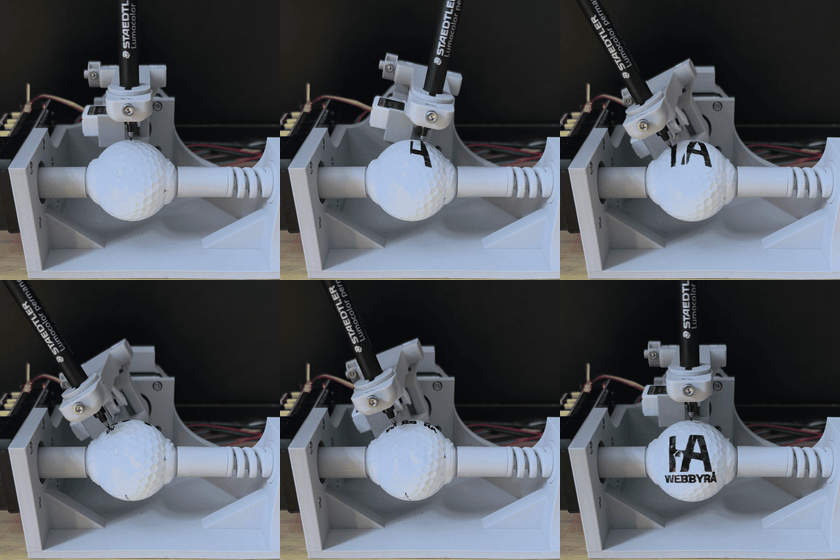
Build log
How the project unfolded
This project started as one of those ideas that sat in the back of my mind for a while: a small robot that could draw directly onto golf balls. After seeing a few golf ball drawing machines online, I decided to build my own version from scratch instead of trying to reverse-engineer someone else's setup.
What began as a mechanical experiment quickly turned into a full hardware and software project. I designed the machine in Fusion 360, 3D printed almost the entire build, wired it around an Arduino Uno and CNC Shield, and then ended up building a custom slicer and local control stack because the software turned out to be the real challenge.
The idea
From a passing idea to a real machine
The project came from curiosity more than a brief. I had been thinking about the idea of a golf ball drawing robot for a while, but it stayed abstract until I saw a few builds online that made it feel buildable instead of hypothetical.
What was missing was actual documentation. There was very little detail about the mechanics, grip system, firmware setup, or software pipeline, so building it still meant working out most of the design decisions myself.
Machine concept
Turning a golf ball into a printable surface
The machine is basically a small rotary CNC-style plotter, but the geometry is unusual. Instead of moving a pen over a flat bed, the X axis rotates the golf ball while the Y axis rotates the pen arm around it.
That means a normal plotting workflow does not apply directly. The software has to take flat artwork, place it onto a printable band on a sphere, and produce motion that still looks right once a real marker touches a curved surface.
Mechanical design
Designing the machine from scratch
I designed the whole machine in Fusion 360 and printed almost the entire build. For me, that was a step up from making simpler printable parts, because this build had to deal with alignment, grip, compliance, repeatability, and moving assemblies instead of static objects.
The electronics are intentionally simple: Arduino Uno, CNC Shield, NEMA 17 motors, and a servo for pen lift. The tricky part was making the mechanics honest enough that the software could trust the motion.
Software
The software became the real project
The software side started as small local Python scripts for serial control and plotting experiments, then grew into a full local control stack. The repo now has a Flask backend, a React/Vite dashboard, preview tooling, calibration workflows, and a custom G-code pipeline built specifically for this machine.
The slicer is the core of it. Instead of assuming a flat Cartesian surface, it has to analyze raster artwork, isolate printable regions, generate outlines and infill, scale and place the artwork, map it into rotary coordinates, and keep the preview consistent with the G-code that eventually reaches the machine.
That stack also handles the more practical parts of running real hardware: pen up and pen down commands, servo timing, buffered GRBL streaming, pause and resume behavior, job tracking, calibration state, and diagnostics when the print on the ball does not match the preview on screen.
- Raster image analysis and color-based region selection
- Outline and infill generation with placement and spacing controls
- Previewable 2D and 3D toolpaths for the curved surface
- Manual multi-color plotting workflows with one color pass at a time
- Buffered GRBL streaming, job lifecycle handling, and machine-state tracking
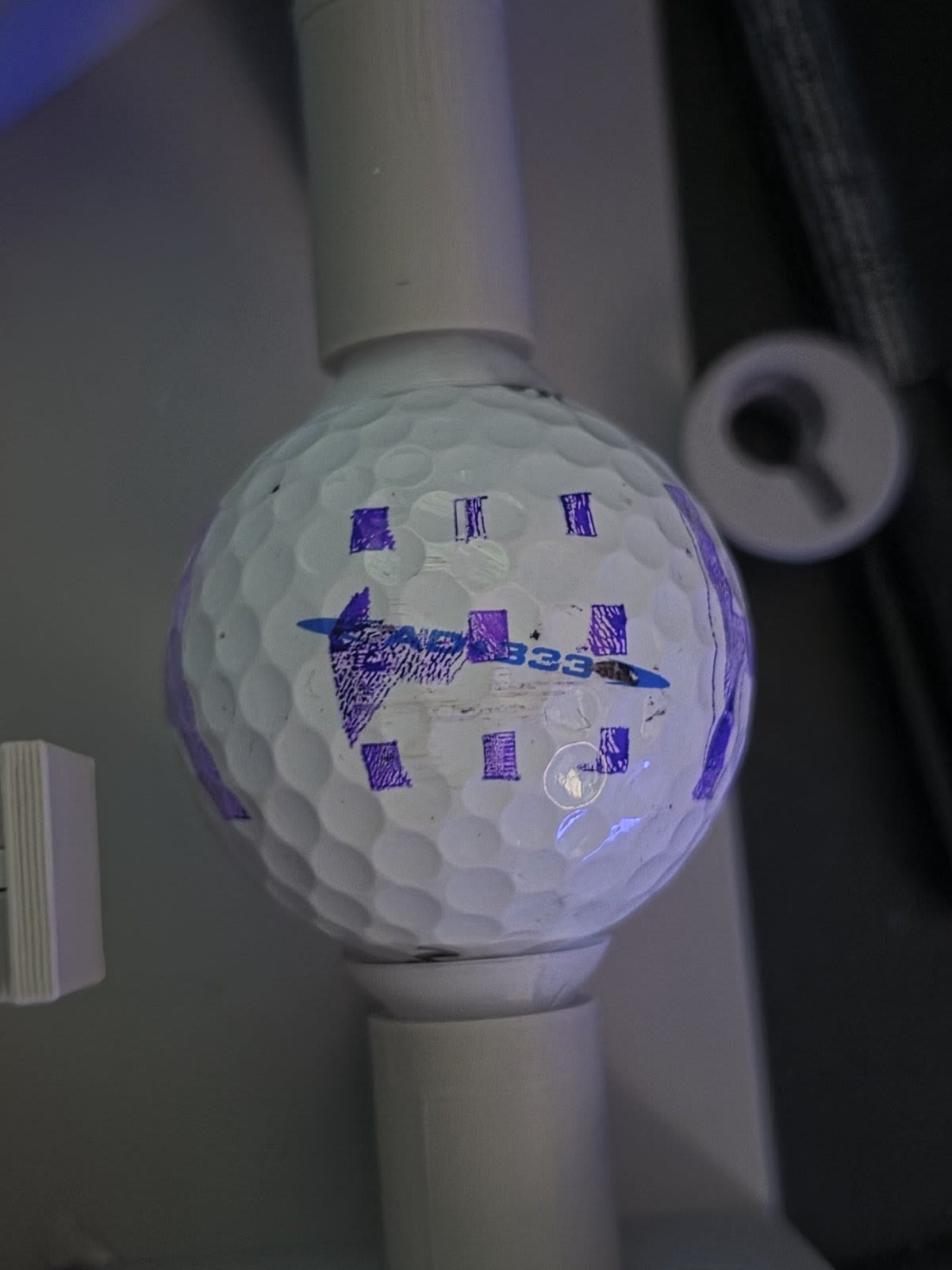
- Calibration pattern generation and X-axis diagnostics for slip, backlash, and alignment
Milestone
The first movement
The first time the machine moved from generated G-code was one of the biggest milestones in the project, even though the output was still rough. It proved that the whole chain worked end to end: artwork in, toolpaths generated, G-code emitted, GRBL streaming, motors moving, and the pen actually touching the ball.
That moment made the project feel real. Up to that point, a lot of the work had been architecture, geometry, and trial-and-error without a clean result to show for it.
Debugging
The bug that looked like a slicer problem
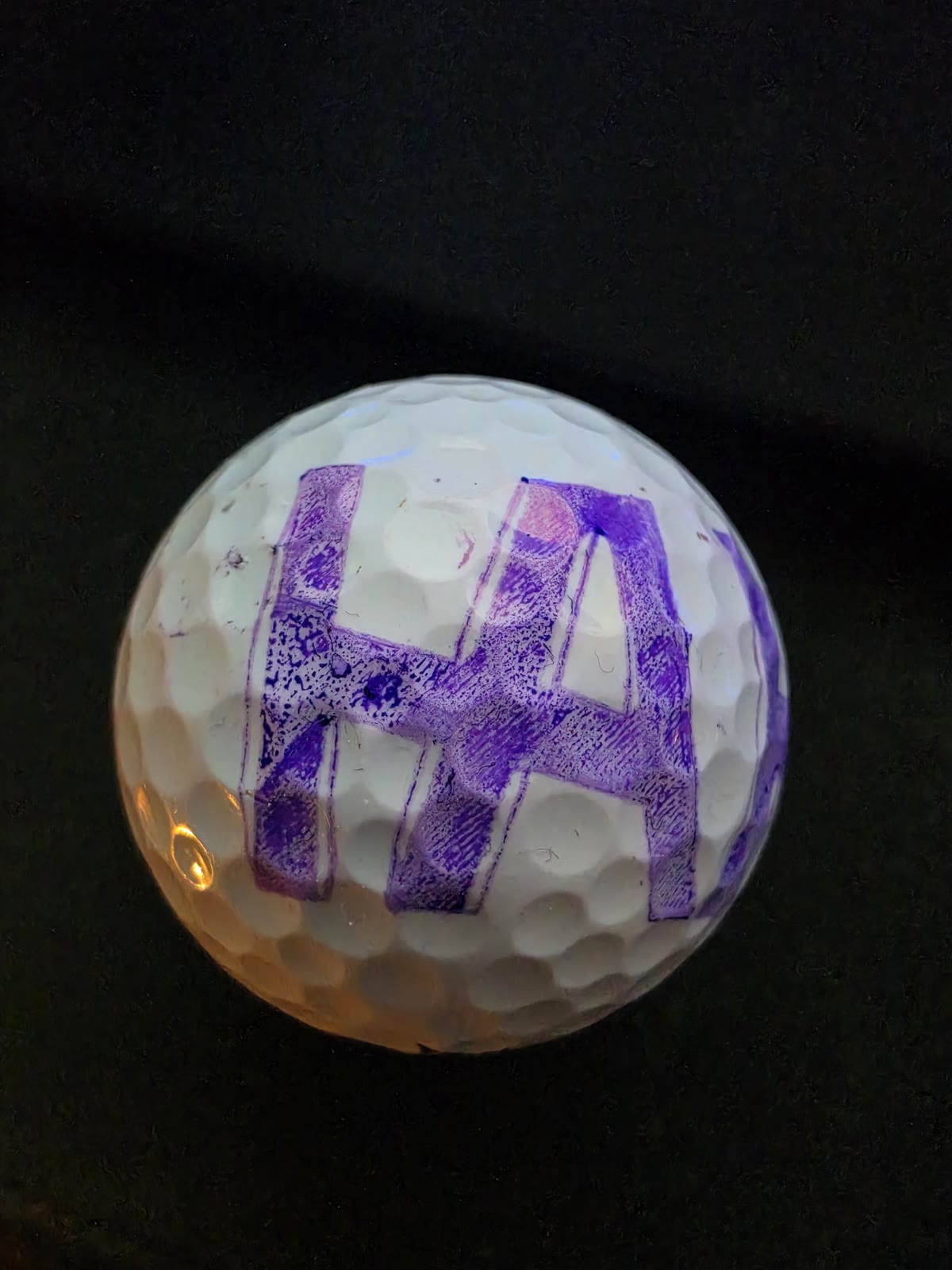
One of the most useful lessons in the project came from a print defect that looked like a software issue. The outlines and infill did not line up, and because I had built the slicer from scratch, I assumed the geometry or toolpath generation was wrong.
A big reason that assumption felt reasonable was that the infill often worked multiple times in a row. In hindsight, that was probably because the lower infill speeds let the ball grip just enough, while the faster outline moves exposed the slipping much more clearly.
So I kept changing the software. I added more preview checks, more validation, and more calibration tooling. Eventually a measurable calibration print showed the real problem: the X axis was slipping. The TPU cups holding the ball were not gripping well enough during faster outline moves.
The fix was mechanical rather than algorithmic. I redesigned the grip with more contact area and better compliance. It was a good reminder that when software controls a physical machine, the code can be perfectly reasonable while the mechanics quietly lie about what actually happened.
Result
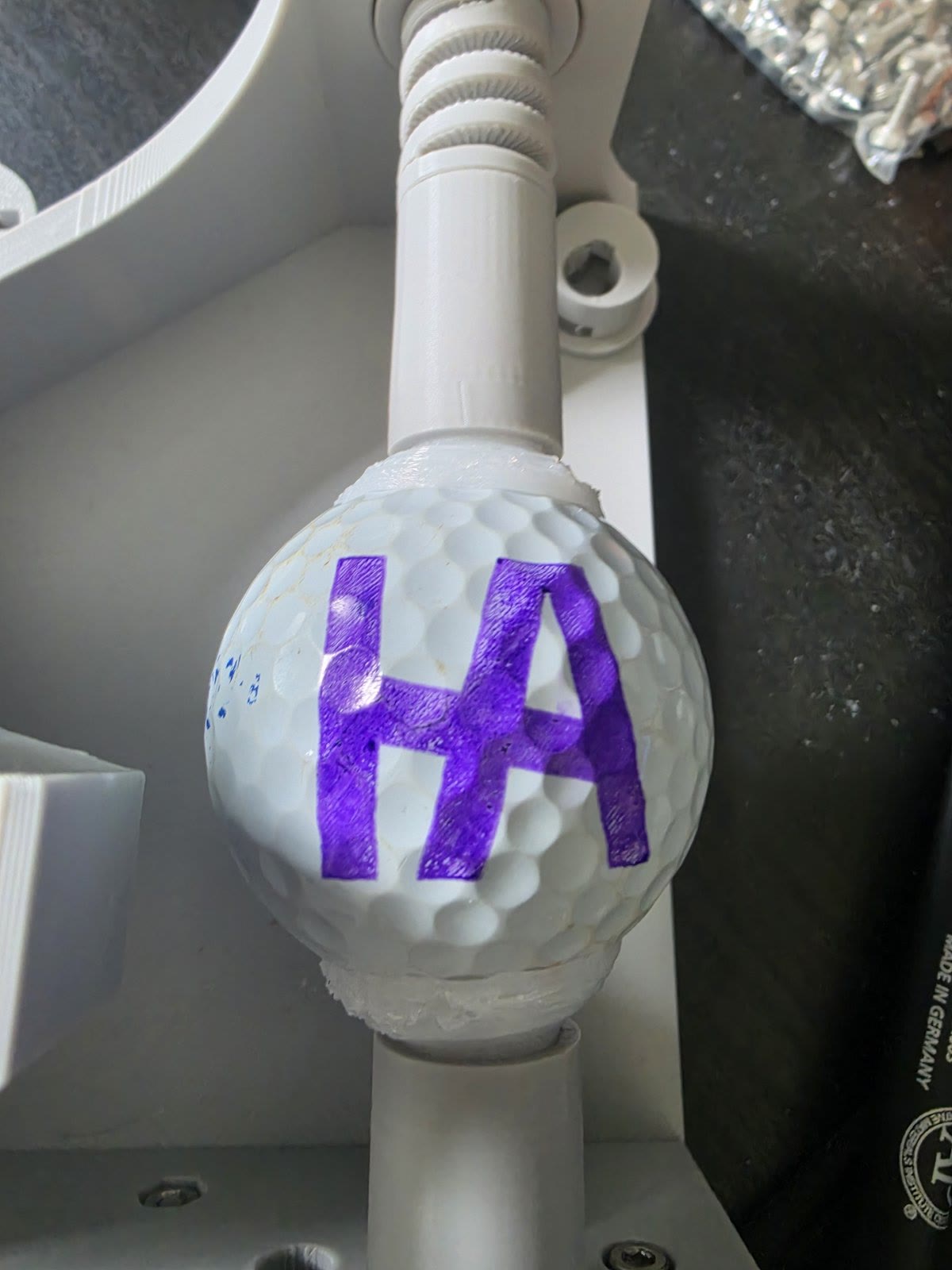
First permanent-ink result
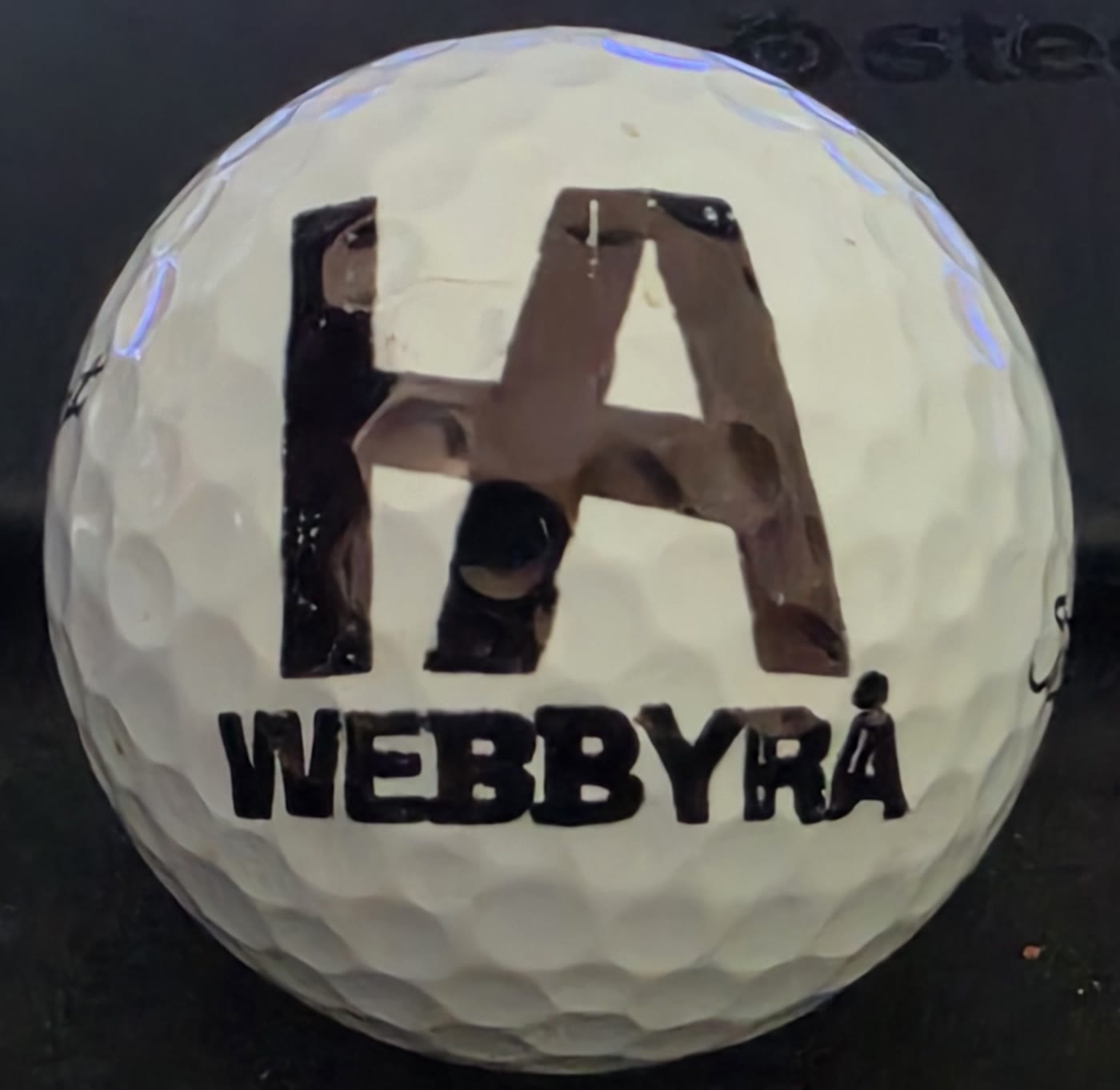
The first permanent-ink result felt bigger than just getting a clean print. It meant the machine had crossed from concept into working system. By that point I had already spent a lot of time on preview geometry, toolpath order, fill behavior, servo timing, and calibration, so the result felt earned rather than lucky.
It is still not a finished product and I would not present it that way, but it is far enough along to prove the machine concept and the software approach.
Takeaways
What I learned
This project taught me a lot about where software, electronics, and mechanical reality start to blur together. It forced me to think about CAD, 3D printing tolerances, GRBL, G-code generation, calibration, and debugging as one system instead of separate disciplines.
- CAD for moving assemblies is a very different skill from modeling static printable parts.
- 3D-printed tolerances and grip matter much more when motion, alignment, and repeatability are involved.
- GRBL is a solid foundation, but the job-control details around buffering, pause and resume, and safety matter once the machine is real.
- Custom G-code generation becomes a geometry problem long before it becomes a syntax problem.
- Calibration-driven debugging is far more reliable than trying to reason from rough prints alone.
- A physical machine can make good software look wrong, so the diagnostics need to expose the mechanics as well as the math.
Current status
Still a prototype, but a real one
Right now the project is a working prototype. It can generate G-code from image inputs, preview jobs locally, stream buffered jobs to GRBL, and draw directly on golf balls.
At the same time, it is still being refined. Print quality can improve, the manual multi-color workflow still needs better repeatability, and both the software and documentation have room to mature.